
Creating a skin
First of all, you must navigate to the skins folder, located wherever you installed nightmist. This is probably c:\program files\nightmist\skins.
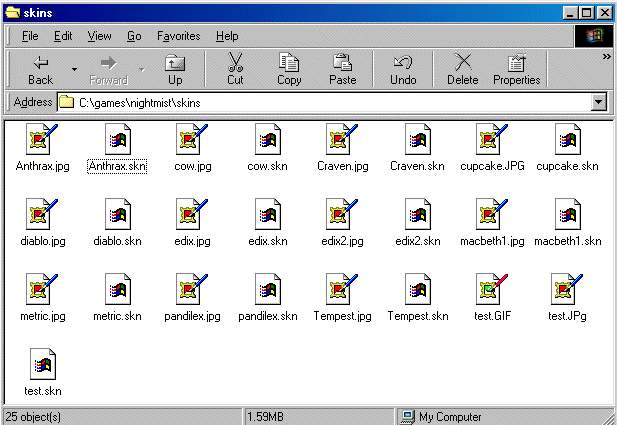
Now, click on any file ending with .skn, and go to copy
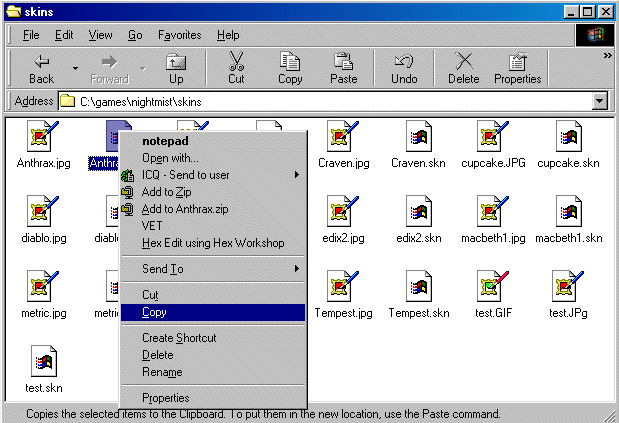
Now right click some of the white space in that folder, and go to paste. Something like this should appear:
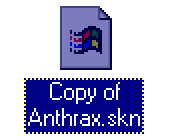
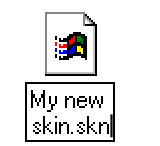
Next, give the file a new name by clicking it and pressing F2.
Now, open the file using notepad, or a similar text editing program.
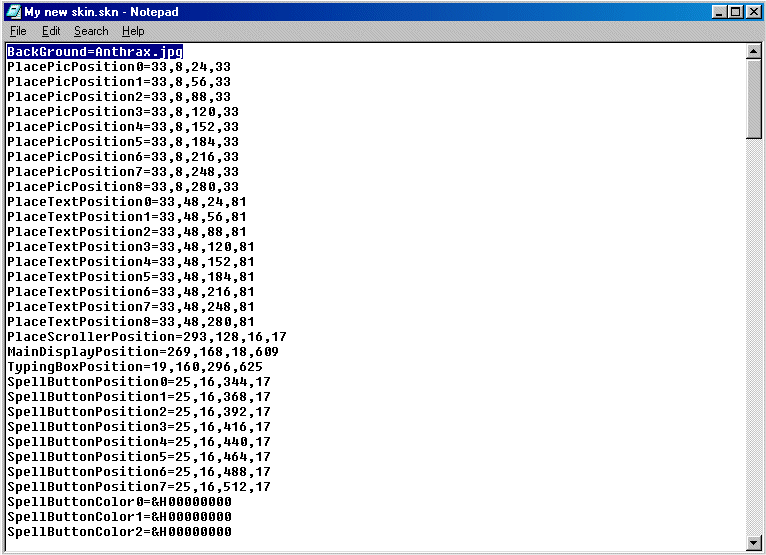
Now, the most important line is the first one. Change it to something like:
BackGround=MyNewSkin.jpg
Now all you have to do, is draw the background for your skin using any drawing program (For example, I used Paint Shop Pro), and save it as a JPG file. Make sure you give it the same name as you put in your .skn file, otherwise it won't work.
How a SKN file works
The skin system in nightmist works from 2 files, a 788x554 pixel JPG file and a small .skn file, you can just change the background picture and submit that if you like. But it would be more interesting if some people would try to move the items around, in theory the game can look any way you want, if you spend enough time aligning it all up.
When i refer to the colors, they have to be submitted as '&h00BBGGRR' where BB is the blue, GG is the green, and RR is the red component of the color, each component goes from 00 to FF, and the scale is 0123456789ABCDEF.
When i refer to locations, they work as 'H,L,T,W', where H is the height of the object, L is the distance from the left side of the object to the left border of the game, T is the distance from the top of the object to the top of the game, and W is the width of the object. All measurements are in pixels.
| Background | jpg file for the background, of size 788x554 pixels |
| PlacePicPositionX | Location of the pictures of who is with you |
| PlaceTextPositionX | Location of the names of who is with you |
| PlaceScrollerPosition | Location of the scroll bar for who is with you |
| MainDisplayPosition | Location of the main display window |
| TypingBoxPosition | Location of the typing box with voicechat off ; Location with voicechat on |
| SpellButtonPositionX | Location of the spell/ability option buttons |
| SpellButtonColorX | Color of the background of the spell/ability option buttons |
| SpellNameFont | Font for the spell/ability names |
| SpellNameBold | True or False for making the spell/ability names bold |
| SpellNameItalic | True or False for making the spell/ability names italic |
| SpellNameForeColor | Color for the spell/ability names |
| SpellNameSize | Size for the spell/ability names |
| SpellNamePositionX | Location of the spell/ability names |
| CaptionFont | Font for the captions |
| CaptionBold | True or False for making the captions bold |
| CaptionItalic | True or False for making the captions italic |
| CaptionForeColor | Color for the captions |
| CaptionSize | Size for the captions |
| CaptionXPosition | Location of the X caption |
| CaptionXText | What the X caption says |
| CaptionXAlignment | Left, Right or Center for the alignment of the X caption |
| DataFont | Font for the data captions |
| DataBold | True or False for making the data captions bold |
| DataItalic | True or False for making the data captions italic |
| DataForeColor | Color for the data captions |
| DataSize | Size for the data captions |
| DataXPosition | Location of the X data caption |
| DataXAlignment | Left, Right or Center for the alignment of the X data captions |
| DataXInsideColor | Color for the inside of the X display bar |
| DataXOutsideColor | Color for the outside of the X display bar |
| CommandButtonFont | Font for the command button captions |
| CommandButtonBold | True or False for making the command button captions bold |
| CommandButtonItalic | True or False for making the command button captions italic |
| CommandButtonBackColor | Color for the background of the command buttons |
| CommandButtonSize | Size for the command button captions |
| CommandButtonPositionX | Location of the X command button |
| ActionButtonLeftMouseColor | Color of the left mouse selected button |
| ActionButtonRightMouseColor | Color of the right mouse selected button |
| ActionButtonBorder | Size of the border around the action buttons |
| ActionButtonType | type of border around the action buttons (Rectange/Square/Oval/Circle/Rounded Rectangle/Rounded Square) |
| ActionButtonXPosition | Location of the X action button |
| InventoryPositionX | Location of the X inventory picture |
| EquipFont | Font for the equiped captions |
| EquipBold | True or False for making the equiped captions bold |
| EquipItalic | True or False for making the equiped captions italic |
| EquipAlignment | Left, Right or Center for the alignment of the equiped captions |
| EquipForeColor | Color for the equiped captions |
| EquipSize | Size for the equiped captions |
| XPicPosition | Location of the X equip picture |
| XTextPosition | Location of the X equip text |
| SpellScrollBarPosition | Location of the spells scroll bar |
| CommandButtonScrollBarPosition | Location of the command buttons scroll bar |
| VoiceChatButtonPosition | Location of the voice chat button |